Webcam Motion Hand Runner | Dodge Obstacles With Hand Movements
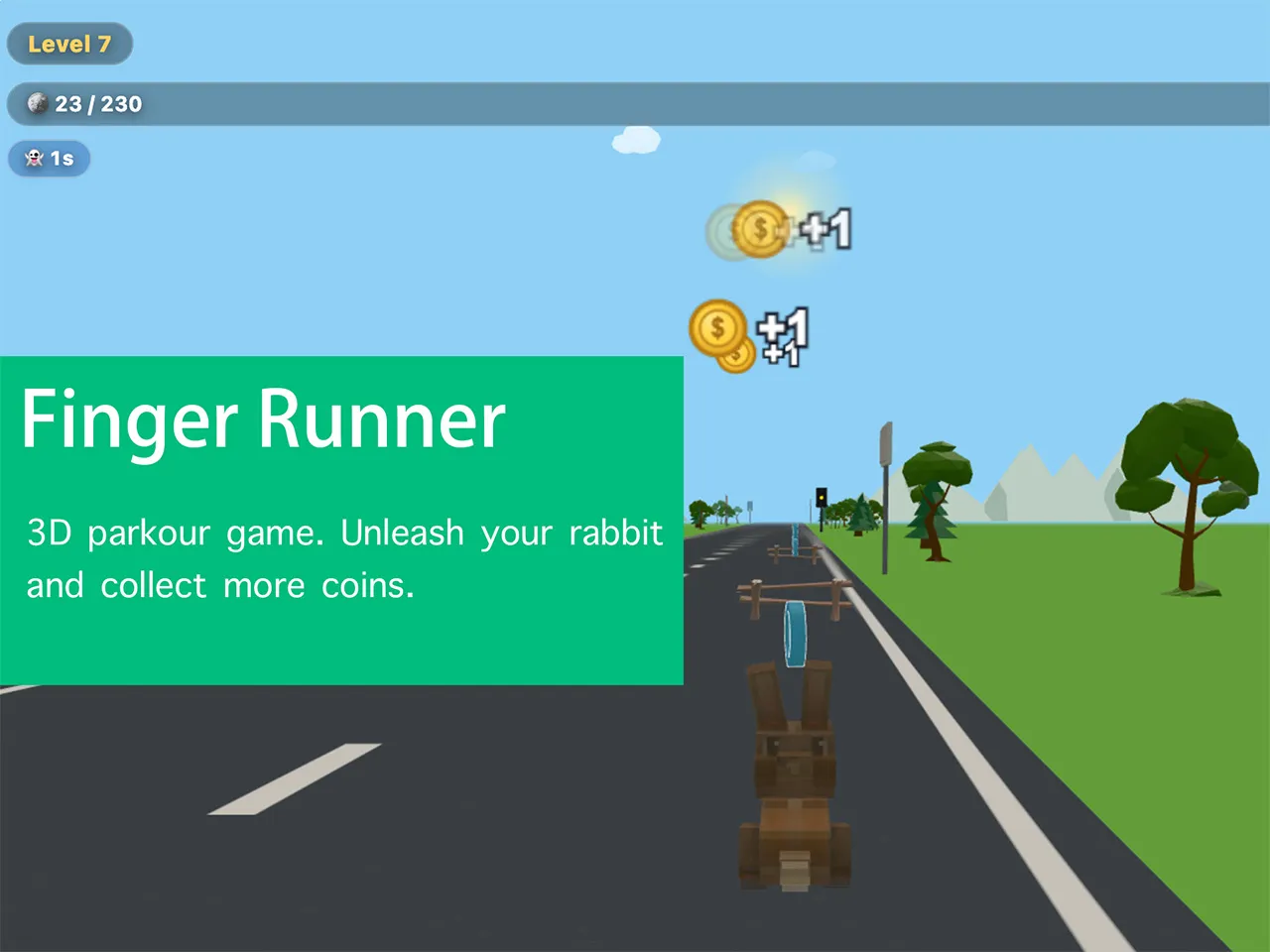
A third-person 3D lane-runner powered by your hands. A lightweight pose-tracking model watches your body — swipe LEFT / RIGHT to switch lanes and swipe UP to jump. Guide a cute rabbit down the track: dodge barriers, grab coins and power-ups, and run the full distance of each level. You have 3 lives; hitting a barrier costs one.
Loading game engine and hand tracking model...
How to Play the game Webcam Motion Hand Runner
1. Step back so your full body (head to hips) is in the camera frame.
2. Swipe LEFT or RIGHT with one hand to switch between the two lanes.
3. Swipe UP to jump over the wooden fences ahead — every obstacle sits on the ground, so a well-timed jump clears it.
4. Grab power-ups: ⚡ speed (fly through the air for 5s), 🛡 golden body (smash through, 10s), 👻 invisibility (pass through, 5s). Collect 🪙 coins.
5. You have 3 lives. Run the full distance of each level to clear it — watch the distance meter.
About the game Webcam Motion Hand Runner
Webcam Motion Hand Runner is a 3D running game built on motion control, developed by SwayJoy and free for everyone to play. In this motion game you steer a cute rabbit down an open road with a single hand, dodging obstacles and collecting coins along the way.
Every level has a fixed distance to cover. Relax, enjoy the scenery rolling past, and feel how smooth the motion control responds. There are twelve levels in total, and in each level you should gather enough coins to earn a higher rating.
How to Get a Higher Score
The first rule is simple: do not let a single coin go. We placed three finely designed kinds of coins along the road for you, so never give up on a coin just to dodge an obstacle.
The second rule is to master the controls, and there are only three moves to learn. Wave your hand to the left, wave it to the right, or raise it straight up. Those three gestures switch your lane left and right and make your rabbit jump over obstacles. The more clearly and calmly you make them, the higher your score will climb.
A Few Things to Keep in Mind
Get a good feel for the motion control first, and keep the following points in mind while playing Webcam Motion Hand Runner.
Spend a few runs on level one
On the first level, please play a couple of times before rushing ahead. Every run teaches you something about the motion control, such as how early to switch lanes and the right moment to jump over an obstacle. This little warm up saves you a lot of trouble in later levels.
Collect the items along the track
In Webcam Motion Hand Runner, three special items wait along the road. The first is the golden body item. When you pick it up, your rabbit gains a golden glow for a short time and obstacles can no longer hurt it. The second is the invisibility item. While invisible, your rabbit simply passes through obstacles. The third is the flight item. Grab it and your rabbit takes off and accelerates through a long stretch, though you cannot collect any coins while flying.
Watch your lives and the distance ahead
You have three lives. Hitting an obstacle costs one life, and losing all three ends the level in failure. The game always shows the total distance of the current level and how far you have already run, so keep a rough idea of the lives you have left and plan your jumps ahead of time.
Why did SwayJoy build Webcam Motion Hand Runner?
- More choices for running game fans. Motion running is a brand new kind of play experience, and it gives players who love running games one more enjoyable way to play.
- A bigger challenge. Compared with running games controlled by a keyboard or a touch screen, this motion controlled runner asks more of your body, which makes clearing a level feel even more rewarding.
- Move your arms and keep your body active. This is one of the true benefits of motion gaming. SwayJoy hopes players will take their hands off the desk more often, wave their arms, sway their bodies, and enjoy healthy fun that adds a little brightness to a busy day.
FAQ
- Is Webcam Motion Hand Runner free?
- Yes, the game is free for everyone to play on the SwayJoy website. If you would like to copy it or make it available somewhere else, please contact us first.
- Does it work on phones and tablets?
- The layout adapts to screens of different widths, but you will enjoy the game far more on a larger screen. It is also a lot of fun on a TV.
- Can I see my own camera feed?
- Of course. We show a translucent camera preview during play, and there is a switch in the bottom left corner of the game that hides or shows it. By default the camera view is turned off.
- Is my camera feed sent over the network?
- Never. SwayJoy fully protects your privacy. The camera feed of every game on this website is used only for motion detection and computing inside your own browser. No camera footage is ever transmitted anywhere.